


It's Tuesday - time for more Techy Tips:)

Want to spice up your side bar? Let's make some headers!!

To start off, create a blank white slate which we talked about last week here.
Next, you will need to resize. My sidebar headers are 250 wide by 50 tall, but you can customize to your own blogs size.

Be creative and using various fonts and pictures make a nice side bar header!

You will now need to save your newly created header image - I use Photobucket.

I like Photobucket because obtaining the HTML code is so simple!

Copy the HTML code. In Photobucket, all you have to do is click on the code and it is automatically copied! Like I said...simple!
Head back over to your blog's dashboard. Under Layout, select "Add a Gadget".

In the Gadgets menu, select HTML.

Paste your code (a control-V will do the trick) and save.

Sit back, admire...and then make a few more!!
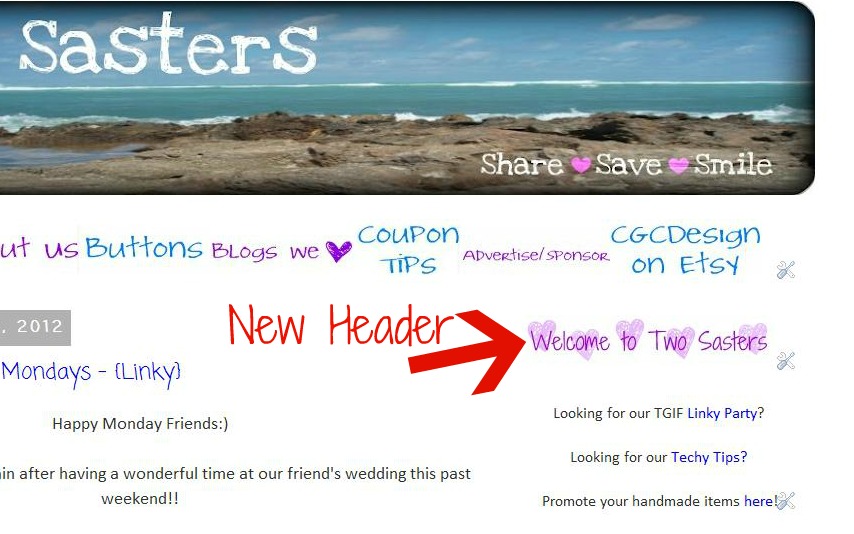
Hopefully that inspired you to pretty up your blog! If you need any help, just ask!!
Note: For the headers on my side bar, I started out with digital scrapbook paper {which I hate to say I downloaded forever ago and I cannot recall where - once I find I will definitely add the source here} instead of the blank white image.


